Move issues into planning, then send estimates back.

The AgileMana browser extension adds planning actions to Jira in your browser. It does not create a persistent Jira connection in your AgileMana account.

Install the extension

Google Chrome

Chrome

Install from the Chrome Web Store, then open a Jira issue to find the AgileMana action.

Install for Chrome
Mozilla Firefox

Firefox

Install from Firefox Add-ons, then open a Jira issue to find the AgileMana action.

Install for Firefox

Extension quick introduction

Follow the Jira workflow from importing an issue to updating its estimate.

Add to AgileMana

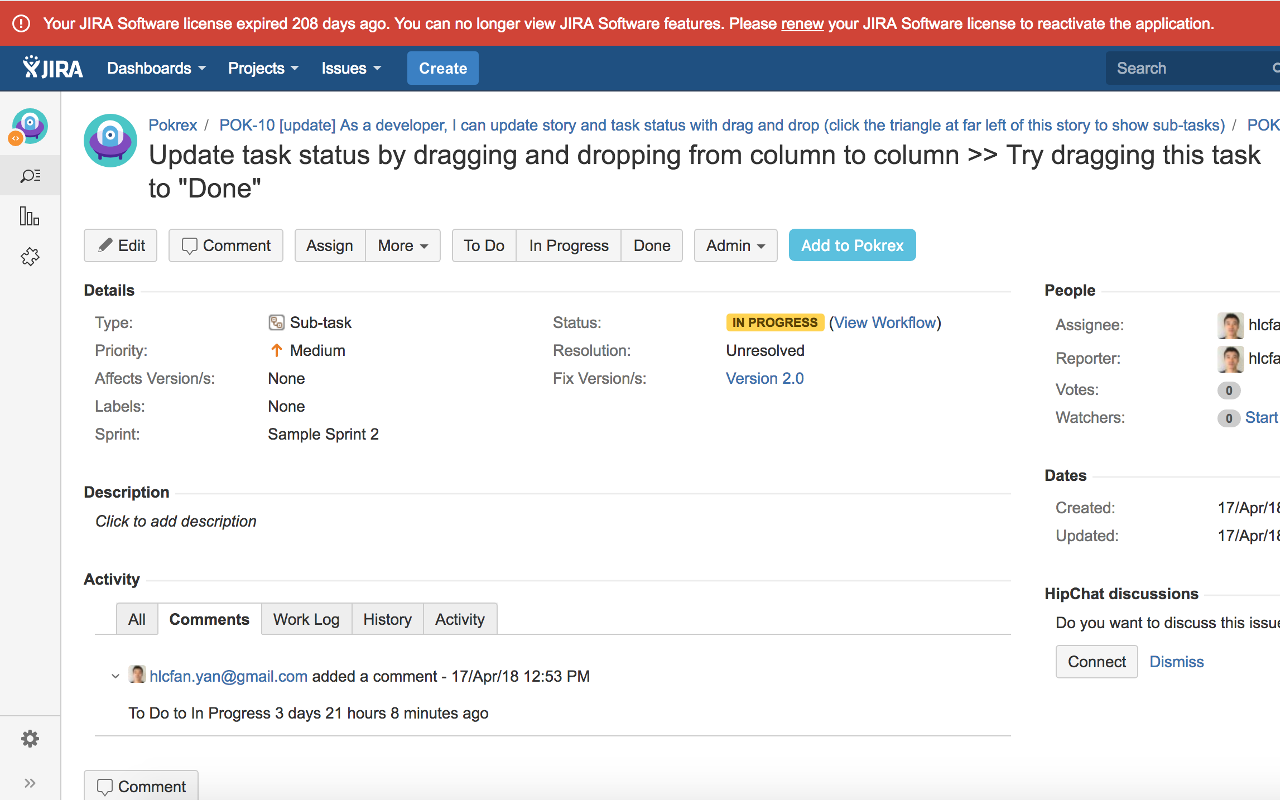
Add a Jira issue to your AgileMana preparation queue.

The "Add to AgileMana" button on a Jira issue

Prepare a room

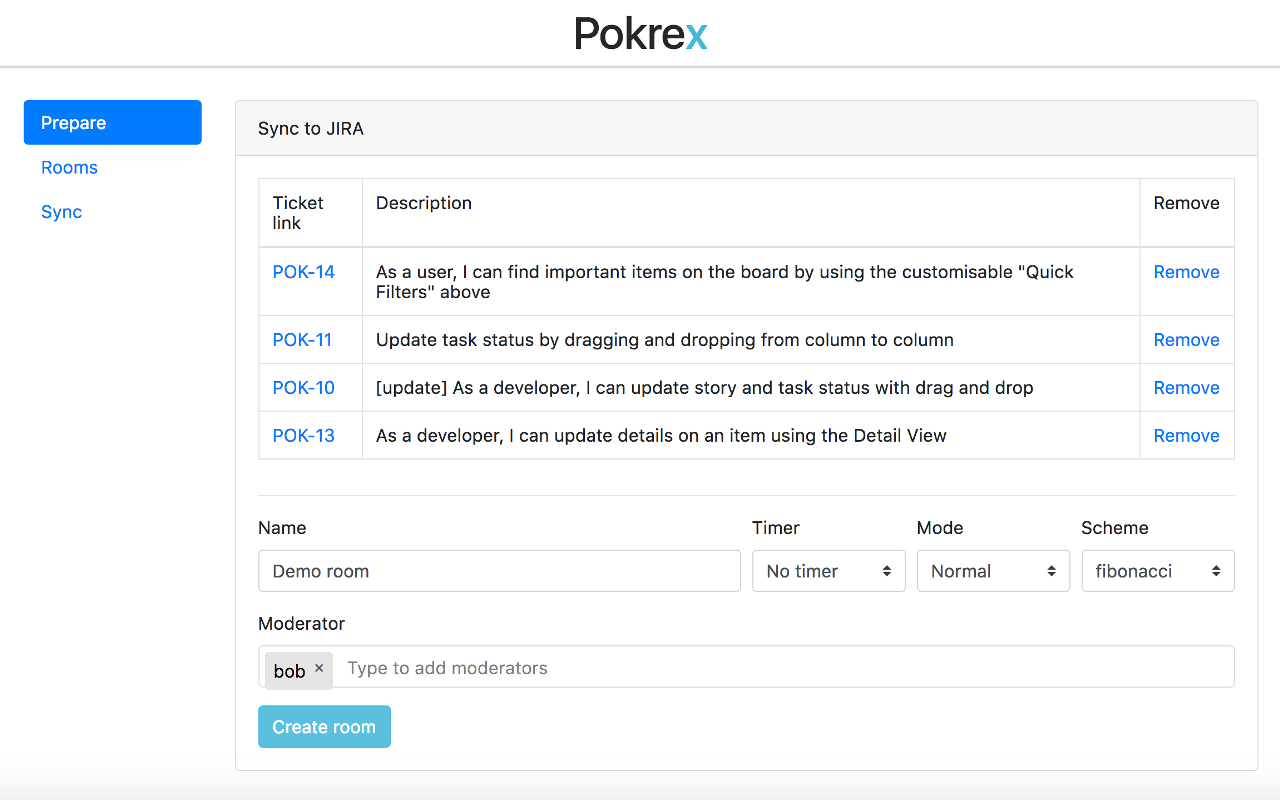
Bring selected issues together before refinement starts.

Preparing an AgileMana room from imported Jira issues

Update Jira

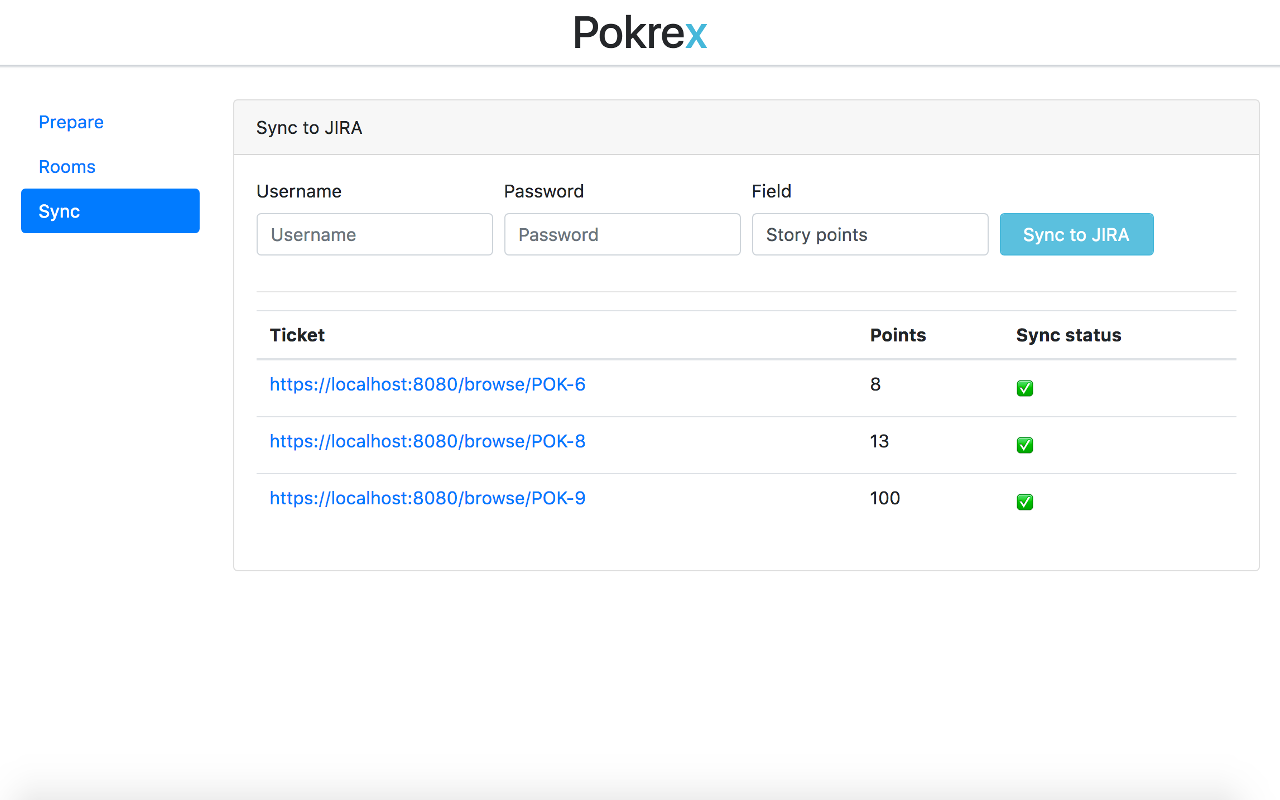
Write the decided estimate back to Jira after planning.

Updating an issue estimate in Jira from AgileMana

See your recent rooms

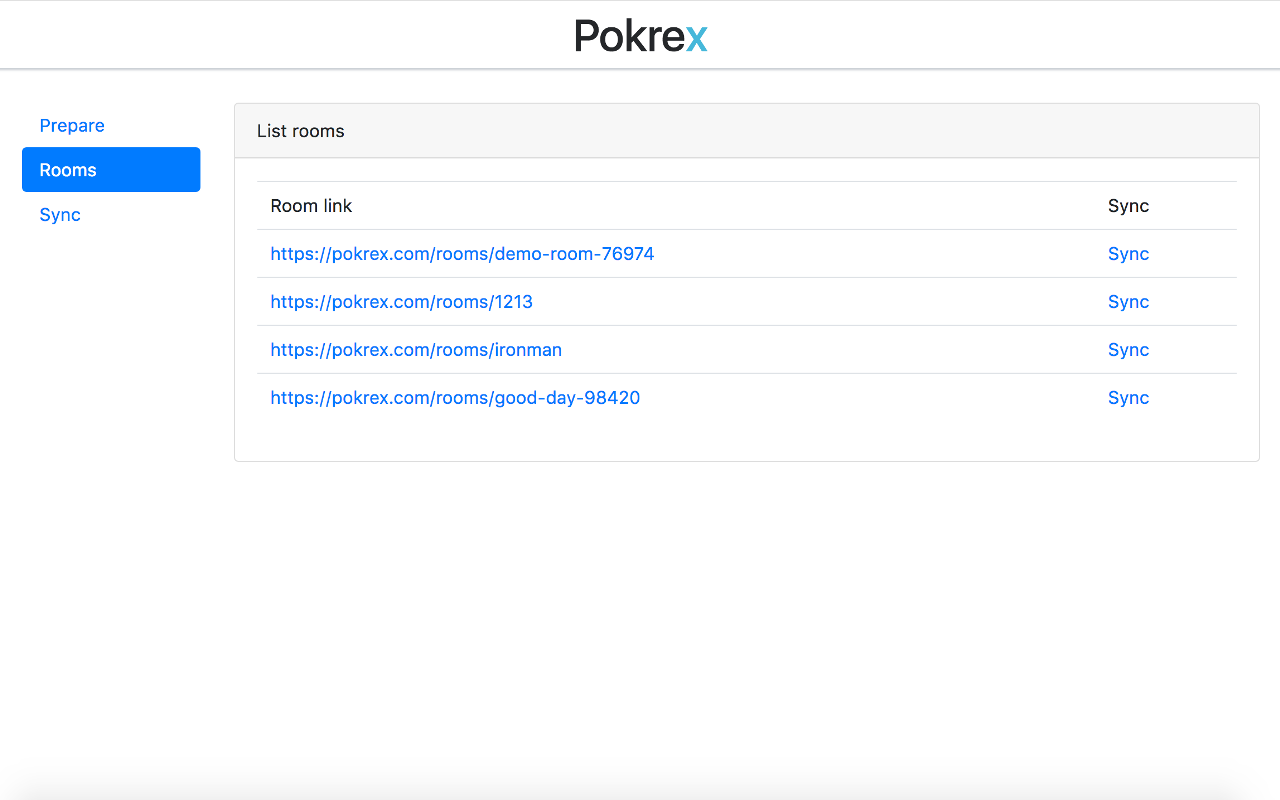
Find recent rooms when you need to return to a planning session.

The recent AgileMana rooms shown by the extension

If the Jira action is missing

  1. Confirm the extension is installed and enabled in your browser.
  2. Refresh the Jira issue page after installation.
  3. Sign in to AgileMana in the same browser profile.
  4. If it still does not appear, remove and reinstall the extension from the official store.