How to run a planning poker session
I've sat through a lot of estimation meetings, and the bad ones go the same way. One senior developer says "that's a 3", everyone nods, and two weeks later the ticket is still open. Planning poker exists to stop that. Everyone picks a number in private, then all the cards turn over at once, so nobody copies the loudest person in the room.
This is how I run a session from start to finish. It works for a team around one table and for a team spread over three time zones. The screenshots come from AgileMana, but the steps work just as well with paper cards.
Who should be in the room
Invite the people who will do the work: developers, testers, and anyone else who touches the ticket before it ships. They know where the traps are.
The product owner should come too, but not to vote. Their job is to explain what each ticket is for and answer questions. When the product owner votes, the team drifts toward their number. In AgileMana they can join as a Watcher and follow along without a card.
Someone has to run the meeting. That's the moderator. It's often the scrum master, but it can be anyone willing to keep time and stop a discussion that goes in circles. The moderator votes like everyone else.
Past about eight voters, sessions get slow. If your team is bigger than that, split the backlog and run two sessions.
Prepare the tickets the day before
Most slow sessions are slow because the tickets aren't ready. A ticket is ready when the team can read it and agree on what "done" means. Usually that's a short description and a few acceptance criteria. It doesn't need a full design.
The day before, I go through the list with the product owner and drop anything that still has open questions. Ten ready tickets beat twenty half-written ones. The rest go to backlog refinement, which is worth running because the team then understands the work before the sprint starts.
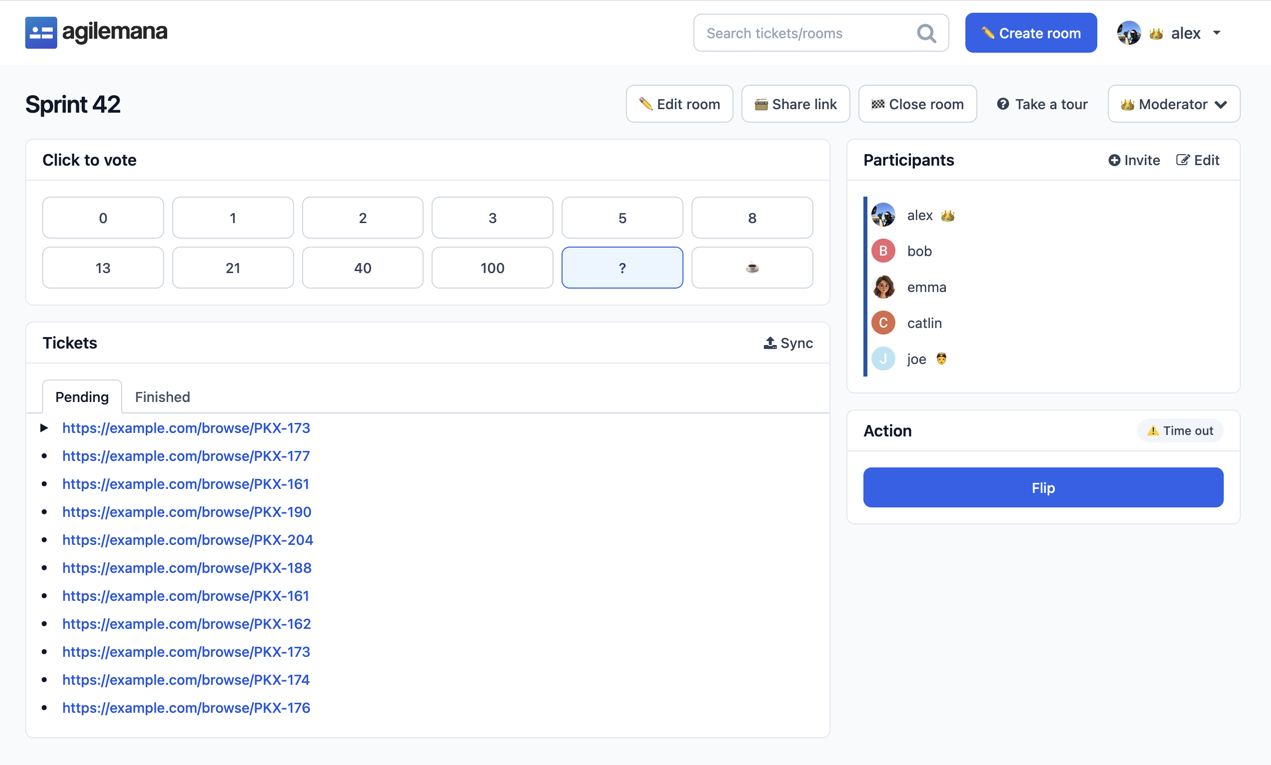
Then create the room. In AgileMana, click Create room, give it a name like "Sprint 42", and paste the ticket links, one per line. On a paid plan, the Jira browser extension imports tickets for you and writes the story points back to Jira when you finish.
Pick a scale and keep it
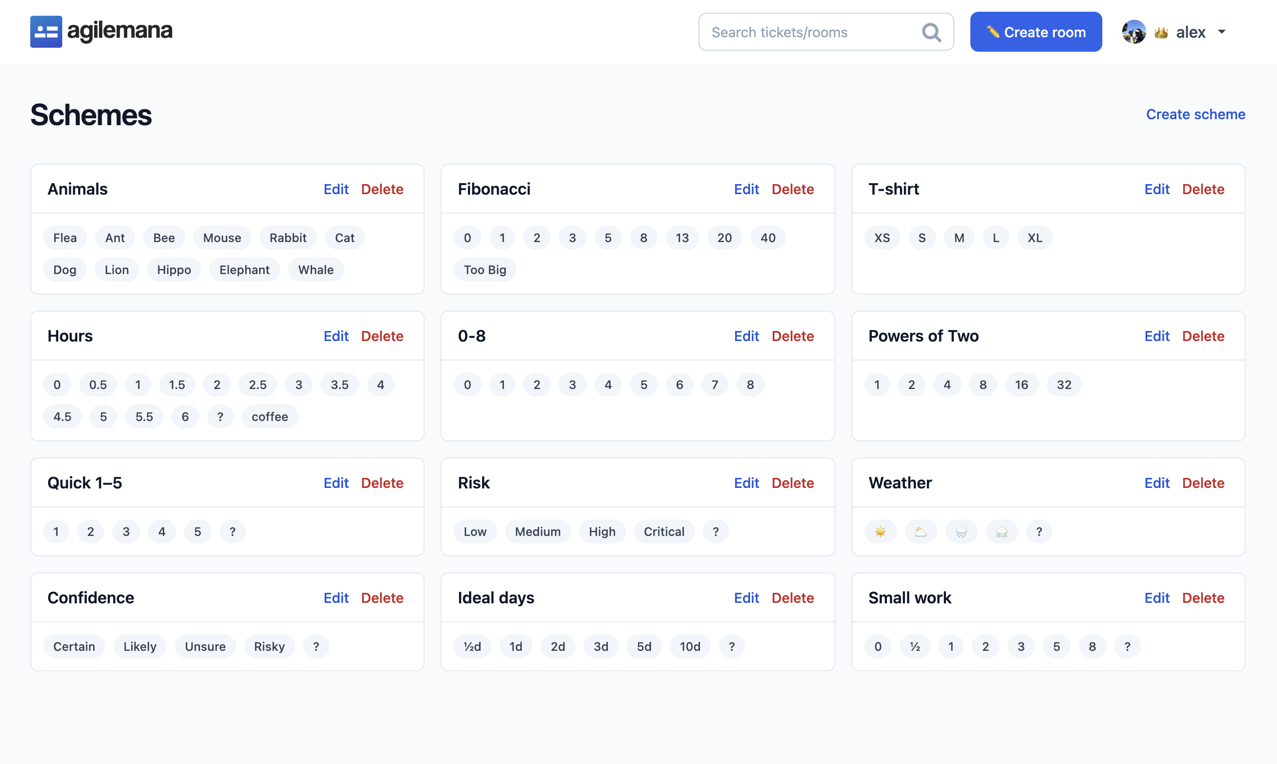
The usual scale is a modified Fibonacci sequence: 0, 1, 2, 3, 5, 8, 13, 21, 40, 100. The gaps get wider as the numbers grow, and that's on purpose. Nobody can tell a 14 from a 15, but most people can tell a 5 from an 8.
T-shirt sizes, XS up to XXL, suit early rough estimates where numbers feel too precise. Some teams estimate in hours. I'm not a fan, because hours turn into deadlines, but if your team plans in hours, use them.
Whatever you pick, keep it the same from sprint to sprint. Velocity only means something if this month's 5 is about the same size as next month's.
Two extra cards are worth knowing. "?" means "I don't understand this ticket well enough to vote". The coffee cup means "I need a break". Take both seriously.
Run a round
- The moderator opens the first ticket, and the product owner explains it in a minute or two.
- The team asks questions. If this runs past five minutes, the ticket probably isn't ready.
- Everyone votes in private. Nobody sees anyone else's card until the reveal.
- When everyone has voted, the moderator clicks Reveal votes, and all the cards turn over at once.
The private vote is what makes this work. If people can see each other's cards before they choose, you're back to the senior developer saying "that's a 3".
A timer helps if your team likes to talk. AgileMana rooms have an optional one that tells everyone when time is up. I turn it on for teams that tend to wander, not as a rule.
When the votes don't agree
If everyone picked the same card, or neighboring cards like a 3 and a 5, take the number and move on. Don't discuss a ticket the team already agrees on.
A spread like a 2 and a 13 is the useful part of the meeting. Ask the person with the lowest card and the person with the highest card to explain their pick. Usually one of them knows something the others don't. The 13 might know the payment code has no tests. The 2 might know there's a library that already does the job.
After that, vote again. In AgileMana, the Clear votes button resets the round for the current ticket. The second vote usually lands close together. If it still doesn't after two rounds, stop. The ticket needs more work, so skip it and bring it back next time.
A pile of "?" cards on one ticket means the same thing. Skip it.
Settle on one number
Don't average the cards. If you get a 3, a 5, and an 8, the answer isn't 5.33. Talk for a minute and agree on one number from the scale. When the team is torn between two numbers, I take the higher one. Tickets rarely turn out smaller than we thought.
In AgileMana, the Action section shows a bar for each point the team picked once the votes are revealed. The moderator clicks the one the team settled on, and the room moves to the next ticket. Estimated tickets go to the Finished tab, where you can re-vote later if the scope changes.
Mistakes I see often
- Doing refinement inside the estimation meeting. If every ticket needs ten minutes of discussion, hold a separate refinement session first.
- Treating points as a promise. A 5 is a guess about size, not a commitment to a date.
- Letting the manager vote. Even a fair manager pulls the numbers toward their own.
- Running too long. After about an hour, people start voting 3 just to get out. Two short sessions beat one long one.
- Comparing points between teams. One team's 5 isn't another team's 5, and it doesn't need to be.
Running it remotely
Remote sessions work fine, and sometimes better, because nobody can watch a colleague reach for a card. Send the room link before the meeting starts. In AgileMana, people can join with just a name and skip creating an account. Share your screen on the ticket while you discuss it, so everyone reads the same text. If your team is comfortable with cameras on, the moderator can see when someone wants to speak.
Try it on your next sprint
Pick ten ready tickets, invite the team, and book 45 minutes. The first session is always a bit slow. By the third, most teams get through a ticket in two or three minutes. Create a free room and see how your team does.
Publish date: 2026-11-19